Best Practices for Choosing Nonprofit Case Management Tools That Actually Get Adopted
Selecting new software for your nonprofit is rarely just about the features. For social service agencies, community ministries, and workforce development programs, the real challenge isn't finding a tool that can technically do the job-it's finding a tool that your staff will actually use every day.
When frontline workers feel that a system is too complex, they often revert to spreadsheets, paper notes, or sticky notes. This creates data silos, makes reporting a nightmare, and ultimately obscures the very impact you are trying to measure.
To avoid this, you need to evaluate potential solutions through the lens of adoption, data integrity, and reporting ease. Here is what to look for when choosing your next case management platform.
Prioritize User Experience Over Feature Bloat
The most common mistake in software procurement is choosing a tool based on a long checklist of features while ignoring the interface. Traditional legacy systems often feel like they were designed for accountants rather than human services professionals. When comparing traditional case management software to modern solutions, you'll find that older systems are often cluttered, require dozens of clicks to complete simple tasks, and feel intimidating to new users.
When evaluating a tool, ask your staff to perform a simple test: How long does it take to log a single service or note? A tool built for real nonprofit workflows should feel frictionless. Modern platforms prioritize clean, intuitive interfaces that shorten training time and reduce the cognitive load on staff who are already managing high-stress situations.
Look for Built-in Data Hygiene Tools
Data quality is the foundation of everything you do. If your system allows for easy duplicate entries, your reporting will eventually become unreliable. You cannot accurately report on how many unique individuals you served if one person has three different profiles in your system.
A high-quality solution doesn't just collect data; it helps you manage it. Look for tools that include dedicated duplicate detection features. Instead of forcing you to manually hunt for errors, a good system should identify potential matches and provide a clear, side-by-side comparison to help you merge records safely.
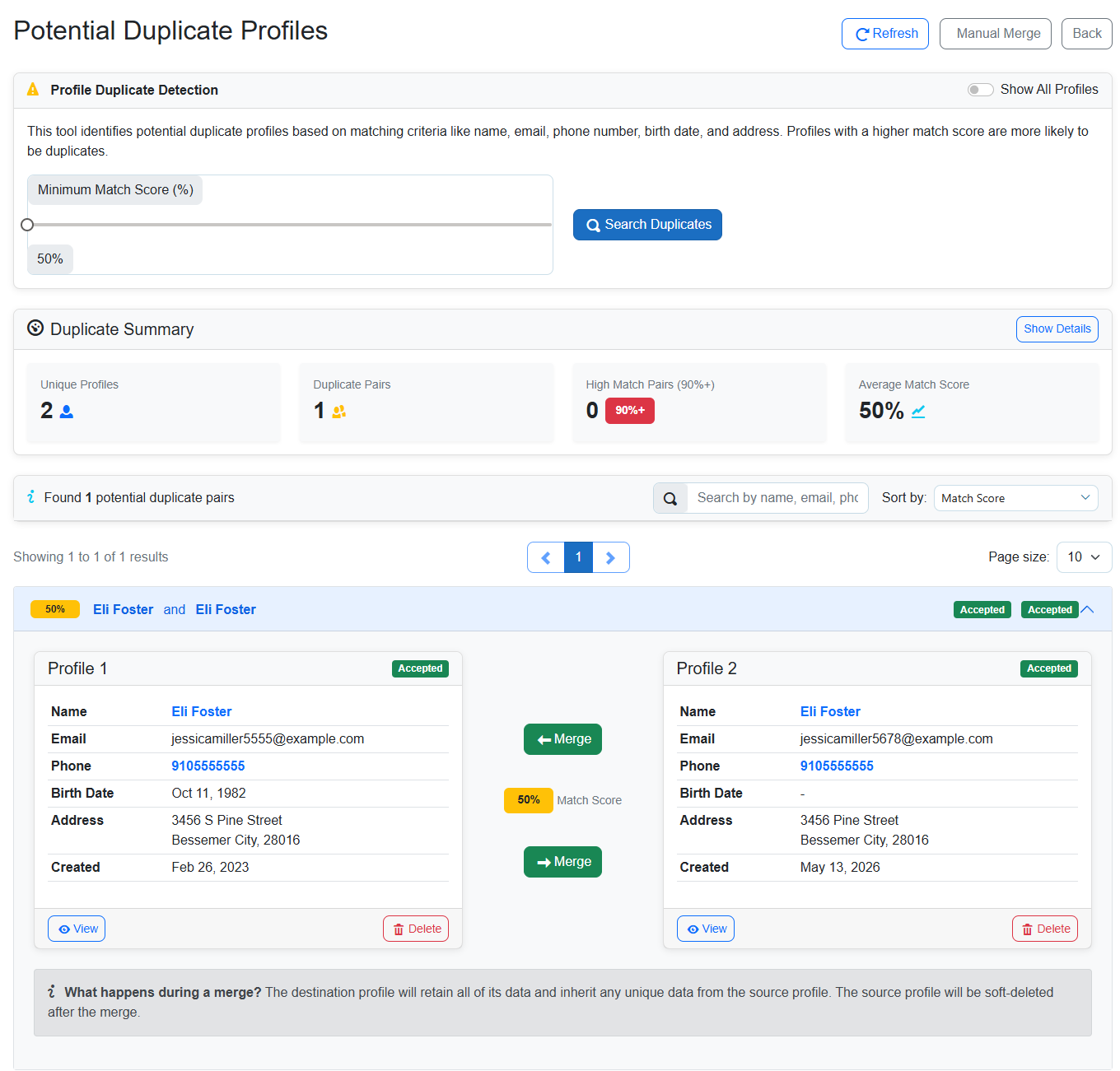
By using tools like the one shown above, teams can maintain high data integrity without spending hours on manual cleanup. This ensures that when you need to pull a report, you can trust that the numbers represent actual people served.
Seek Automation That Reduces Busywork
Automation shouldn't feel like a black box. For a nonprofit, the best kind of automation is the kind that handles repetitive administrative tasks-like follow-up reminders or enrollment notifications-so staff can focus on direct client work.
When reviewing software, check if the automations are easy to manage and transparent. You want to see clear metrics that show you what the system is doing. For example, a dashboard that tracks how many tasks were automated and how much time was saved allows leadership to see the tangible return on investment.
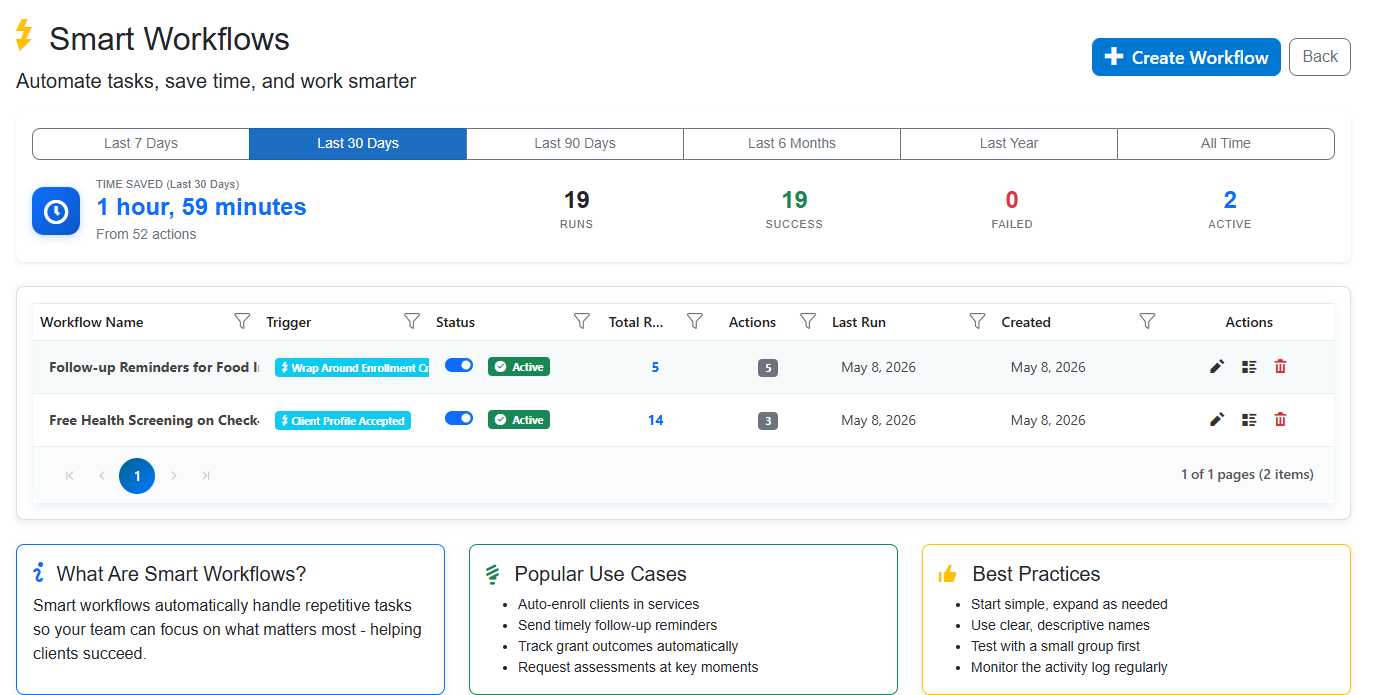
Cohoist approaches this by offering smart workflows that allow you to automate routine triggers while keeping everything visible in a central dashboard. This prevents things from falling through the cracks without requiring a technical degree to manage.
Ensure a Seamless Path from Intake to Impact
The ultimate goal of any case management tool is to turn daily casework into meaningful stories and funder-ready reports. If your staff has to spend three days at the end of the month manually compiling data from various spreadsheets, your system has failed them.
Your tool should provide a clear path from the moment a client is admitted to the moment an outcome is recorded. This means:
- Integrated documentation: Notes and documents should live alongside the client record.
- Real-time tracking: Service delivery should be logged as it happens.
- Visual reporting: Leadership should be able to generate dashboards that visualize program outcomes instantly.
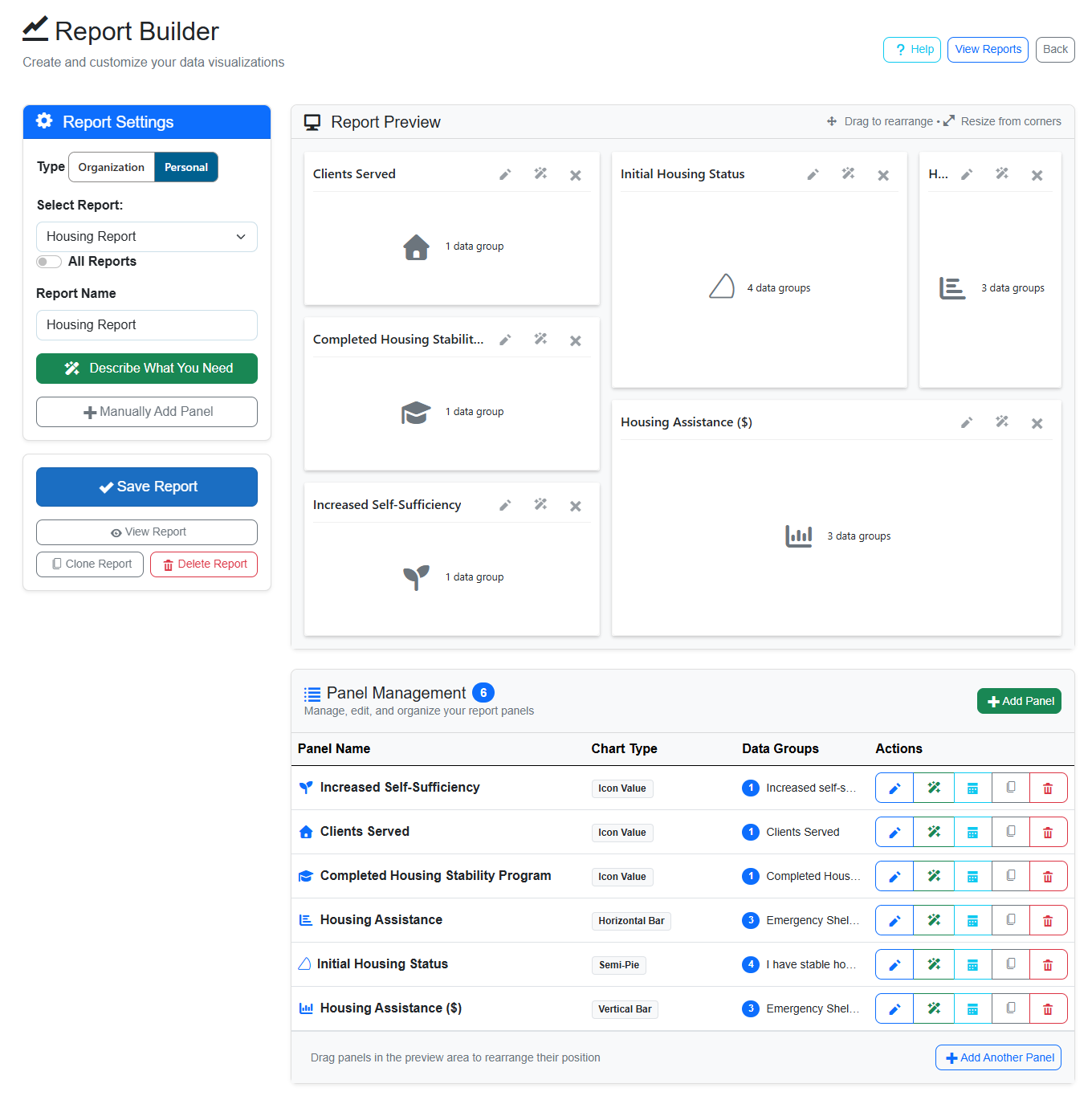
The ability to design custom visualizations and see your impact in real-time-rather than waiting weeks for a consultant to clean up your data-is what separates modern platforms from legacy systems. With a secure report builder, you can eliminate the busywork that typically slows down human service organizations.
Conclusion
Choosing the right tool is about respecting your team's time and protecting your data's integrity. By focusing on simplicity, automated hygiene, and intuitive reporting, you can choose a solution that empowers your staff rather than overwhelming them.
If you're ready to see how a modern approach to case management can transform your operations, you can schedule a personalized walkthrough of Cohoist to see these workflows in action.
Ready to put this into practice?
Cohoist gives your team clean intake, fast service tracking, and funder-ready reports — without the clutter of traditional systems. See how simple it can be.