Cohoist vs Traditional Case Management Software: Why Simplicity Wins for Nonprofits
When a nonprofit evaluates new software, the instinct is often to look for the most "powerful" option. In the world of enterprise software, "power" is frequently synonymous with a massive list of features, complex permission hierarchies, and deep, multi-layered menus.
However, for social service agencies, community ministries, and workforce development programs, "power" can quickly turn into "friction."
If a tool is too difficult to navigate, frontline staff will find workarounds. They'll revert to spreadsheets, sticky notes, or paper logs just to get through a busy day of client service. When that happens, your data becomes fragmented, your reporting becomes a nightmare, and the very system meant to help you loses its value.
Choosing between traditional legacy case management and a modern, simplified platform isn't just about features; it's about choosing a workflow that respects your team's time.
The "Feature Bloat" Trap
Traditional case management systems were often built for massive government bureaucracies. They are designed to satisfy every possible regulatory requirement, often at the expense of the person actually sitting across the desk from a client.
This leads to several common pain points:
- High Training Costs: New staff members may require weeks of training just to learn how to log a simple service interaction.
- Data Entry Fatigue: If it takes twenty clicks to record a single bag of groceries or a one-hour workshop, staff will naturally avoid doing it consistently.
- The "Shadow System" Effect: When the official software is too clunky, teams create "shadow systems" (like Excel sheets) to track their real work, leaving leadership with no single source of truth.
Modern software shifts the focus from "what can the system do" to "how can the system help the staff do their jobs faster."
Efficiency Through Intentional Design
A simplified approach doesn't mean a lack of capability; it means a focus on high-impact workflows. Instead of forcing a user to navigate through five different screens to record an interaction, a streamlined system prioritizes speed and ease of use.
For example, consider high-volume service days. If your program distributes supplies or provides rapid assistance, you shouldn't have to open every individual client profile one by one.
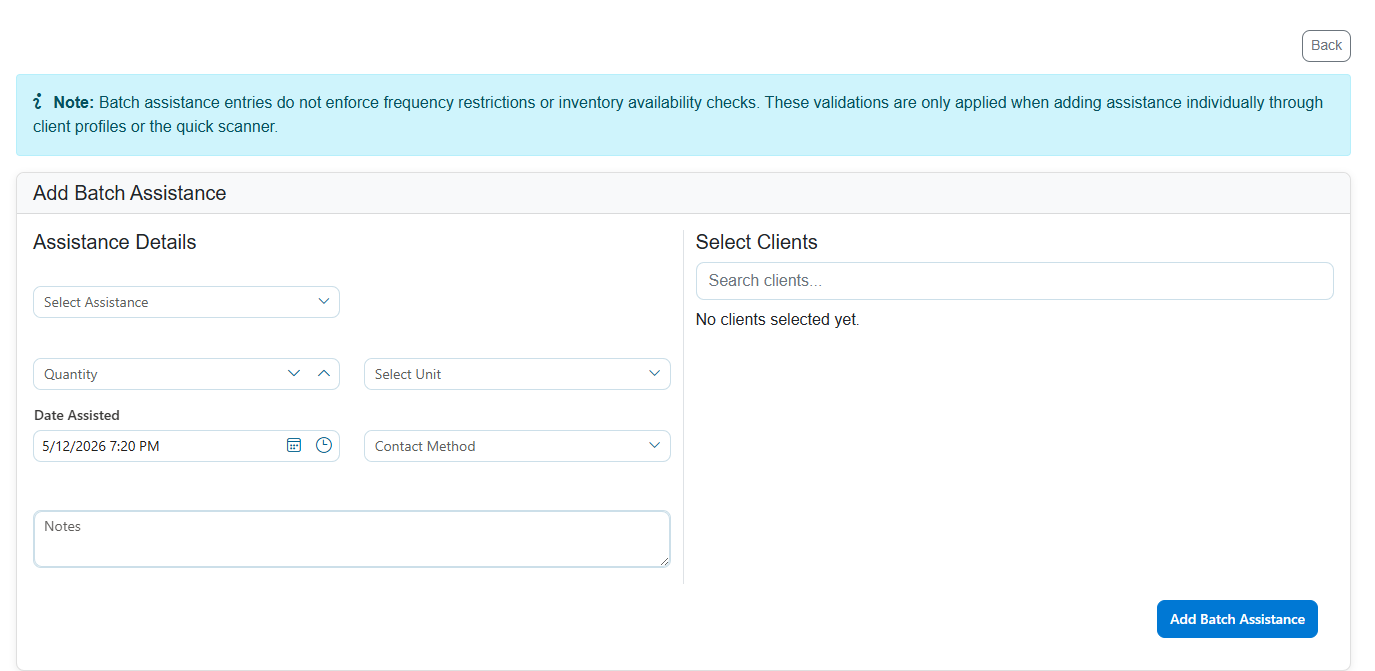
A tool designed for real-world nonprofit workflows allows for batch entries. As seen in the image above, you can select multiple clients and record the assistance details-such as type, quantity, and notes-all in one single action. This reduces repetitive clicking and ensures that your data is captured in real-time, rather than being "caught up" on a Friday afternoon when everyone is exhausted.
Precision Without the Complexity
One of the biggest fears in moving away from manual processes (like paper or spreadsheets) is losing control over data integrity. Many nonprofits worry that "simple" software will lead to messy, duplicate records that make reporting impossible.
True simplicity actually improves data integrity by making the "right way" to do things the "easiest way."
When duplicates do occur, which is inevitable as organizations grow, the resolution process should be surgical, not overwhelming. Rather than a black-box automated merge that might delete important history, a high-quality system provides a clear, manual way to reconcile records.
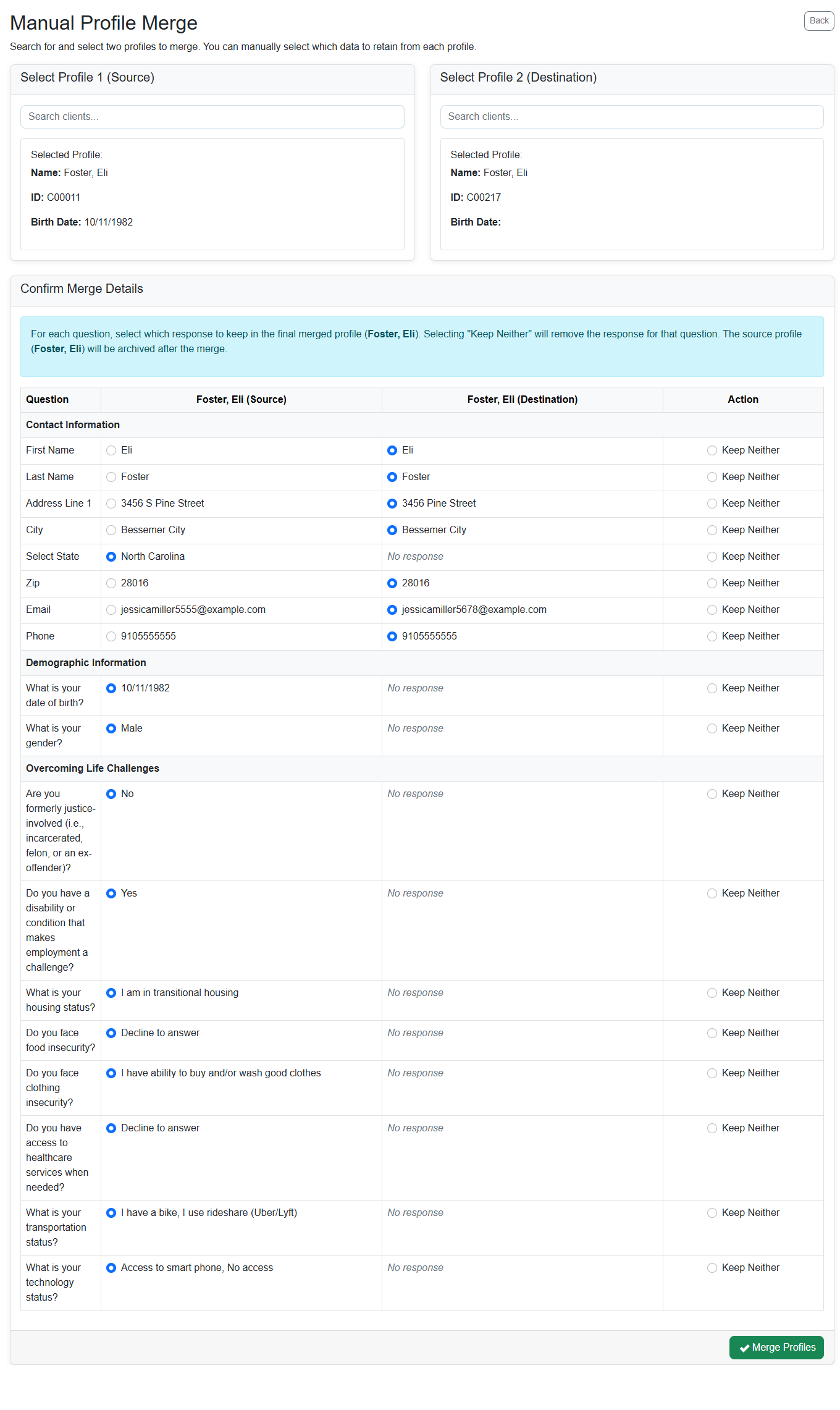
By allowing case managers to compare specific fields-like contact information or demographic details-and choose exactly which data to keep, you maintain a high standard of accuracy. This level of control ensures that the client's story remains intact and accurate, which is vital for both client continuity and funder reporting.
Scalability and Oversight
Simplicity should extend to the leadership level as well. A platform that is easy for staff to use is also easier for administrators to manage.
In legacy systems, changing a program setting or managing user permissions often requires a specialized IT consultant or a deep dive into confusing technical menus. In a modern, human-centered system, administrative tasks are grouped logically.
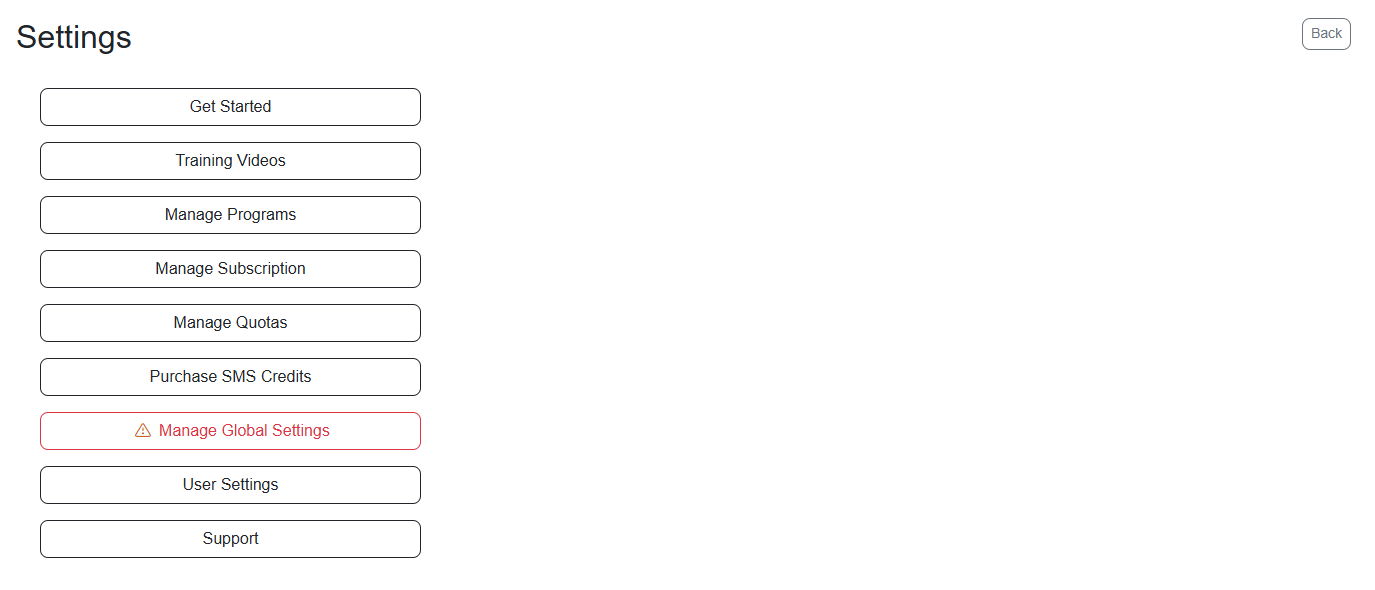
Whether you are managing program configurations, updating subscription details, or accessing training videos, the interface should be intuitive. This allows nonprofit leaders to spend less time acting as "accidental IT managers" and more time focusing on strategic growth and community impact.
Making the Switch
The goal of case management software should never be to add another task to your staff's plate. It should be to clear the plate of administrative clutter so they can focus on what matters: the people they serve.
If your current system feels like a hurdle rather than a help, it might be time to move toward a platform built for the reality of nonprofit work.
If you're ready to see how a more intuitive approach can transform your daily operations, we'd love to show you Cohoist - our refreshingly simple case management platform. You can schedule a personalized walkthrough with our team to see our workflows in action.
Ready to put this into practice?
Cohoist gives your team clean intake, fast service tracking, and funder-ready reports — without the clutter of traditional systems. See how simple it can be.