How Cohoist's Custom Intake Forms Adapt to Ministry-Specific Needs
When you're running a community program, every new person walking through your door represents a unique set of needs, circumstances, and data requirements. One day you might be processing an application for emergency food assistance; the next, you're registering someone for a workforce development workshop.
For many nonprofits, this variability is a nightmare for data management. Traditional systems often force you into a one-size-fits-all approach, leaving you with either too little information to be useful or so much unnecessary clutter that staff dread opening the software.
The key to efficient program management isn't just having a form; it's having a form that fits the services you provide.
Moving Beyond Static Data Entry
Most legacy systems treat intake like a digital filing cabinet: you type in a name, an address, and a phone number, and that's it. But real-world human services require more nuance. You need to know if a person is eligible for a specific program, whether they've received assistance recently, and whether the information they're giving you is accurate.
Effective intake processes should act as a guardrail for your data quality. For example, when a staff member is entering information from a handwritten note, typos in addresses are inevitable. Instead of letting that error become a permanent part of your database, smart systems intervene at the moment of entry.
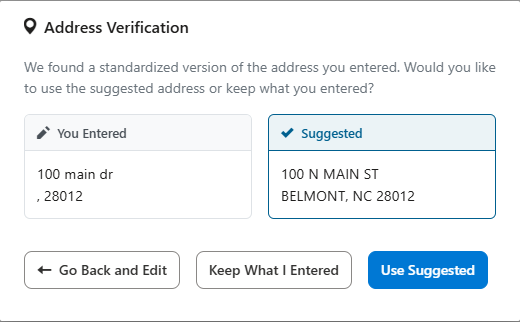
As shown in the address verification example above, modern tools can compare raw input against standardized postal data. This ensures that when you eventually run reports on where your clients live, your data is clean, actionable, and ready for funders without hours of manual cleanup.
Building Forms That Match Your Workflows
The biggest challenge in social services is that no two programs operate the same way. A generic form might work for basic contact collection, but it fails when you need to capture specific assessment data or program-specific qualifications.
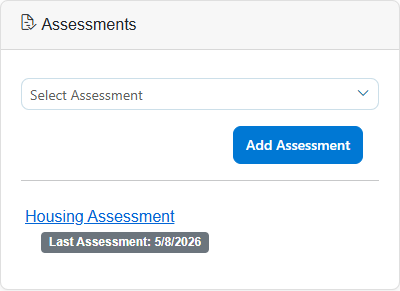
Rather than forcing your staff to work around a rigid system, your software should adapt to your unique program requirements. Custom intake forms allow you to build fields that make sense for the specific services you offer. Whether you're conducting a housing assessment or a nutrition needs assessment, the form should feel like a natural extension of your staff's expertise, not a barrier to it.
For faith-based organizations, this flexibility is vital. You might need to capture spiritual support preferences alongside traditional demographic data, or track participation in specific church-led community cohorts. Custom forms ensure that the full story of the person you're serving is captured accurately and securely, without forcing you to use fields that dont apply to your mission. When selecting your next platform, understanding what faith-based teams look for in case management software can help ensure your tools support rather than hinder your ministry.
Customizing Assistance Behavior and Rules
Every program has its own set of operational boundaries. A food pantry might have a rule that a household can only receive assistance once every seven days. A clothing closet might need to track exactly how many coats are left in inventory. A scholarship program might need to cap the number of awards given out each month.
Instead of managing these rules through sticky notes or complex spreadsheets, your intake and service tracking should be built directly into your form logic. This is where custom intake becomes truly powerful. You can configure specific assistance types to behave according to your program's unique constraints.
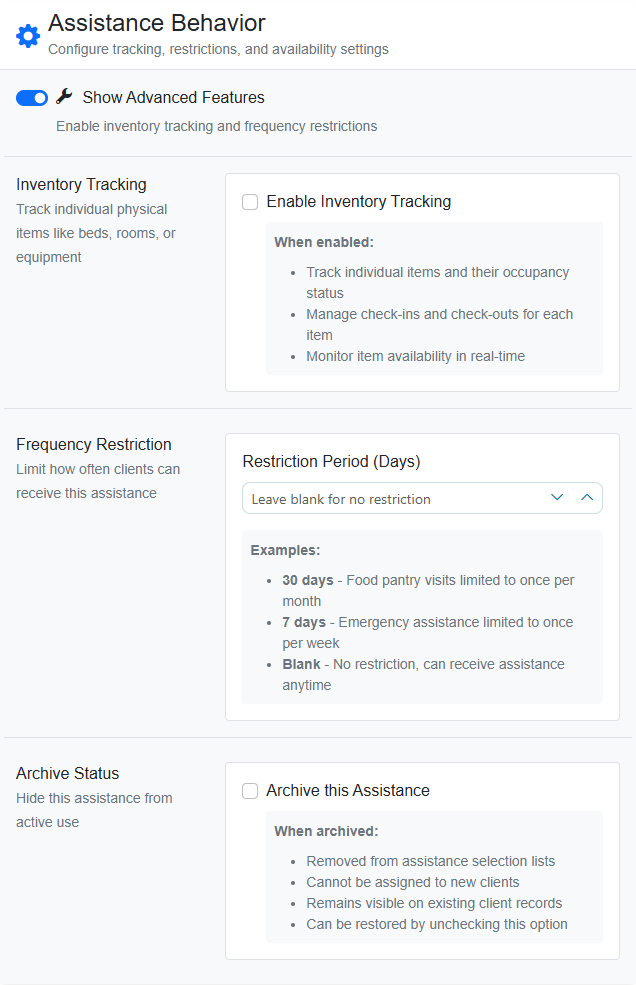
With flexible settings, you can manage:
- Inventory Tracking: Automatically check items in and out as they are distributed.
- Frequency Restrictions: Set automatic warnings if someone attempts to access a service too frequently.
- Allocation Quotas: Define maximum assignments per period to ensure resources are distributed equitably and don't run out unexpectedly.
This level of control is especially helpful for ministries managing limited donated goods. You can ensure that resources like groceries or emergency funds are distributed according to your specific bylaws and community guidelines without needing a data scientist to manage the spreadsheet.
Connecting Intake to Real-World Impact
The ultimate goal of any intake form isn't just to collect data-it's to create a clear path from that initial interaction to your final impact report. When your intake forms are designed around your actual workflows, every piece of data collected becomes a building block for your outcomes.
When you move away from cluttered, generic systems and toward case management tools designed for the specific rhythms of nonprofit work, you reduce the administrative burden on your frontline staff. This allows them to focus less on fighting with software and more on the people they serve.
If you're ready to see how a more intuitive system can transform your daily operations, you can schedule a personalized walkthrough of Cohoist to see these features in action.
Ready to put this into practice?
Cohoist gives your team clean intake, fast service tracking, and funder-ready reports — without the clutter of traditional systems. See how simple it can be.