The Volunteer-Staff Divide: Why Tracking Client Care Gets Messy in Ministries
When a ministry operates with a mix of paid staff and volunteers, the biggest risk is a lack of continuity. You might have a dedicated case manager who knows every client's history, and a rotating group of volunteers who provide essential support, meals, or mentoring. The intent is good, but the execution often isn't.
Without a single source of truth, information gets trapped in two places: sticky notes on a desk and the heads of individuals. When a volunteer changes shifts, or a staff member goes on leave, the client's story fractures. Follow-ups are missed. Duplicate assistance happens. And the team spends more time reconstructing history than actually serving people.
This operational blind spot affects client trust and program integrity. Here's how to diagnose the divide and build a workflow that keeps everyone aligned without overwhelming your team.
The Hidden Cost of Fragmented Communication
In many ministries, communication happens through siloed channels. Staff might use a shared drive or a specialized database, while volunteers coordinate via group text messages, email chains, or paper sign-in sheets.
This fragmentation creates three specific operational failures:
- The Knowledge Gap: A volunteer meets a client for the first time. They don't know about the client's recent housing application or their upcoming court date because that info lives in a staff-only file. The volunteer gives generic advice that might conflict with the case plan.
- The Duplicate Trap: Two different volunteers show up with food assistance because neither saw the other's log entry. This wastes limited inventory and sends mixed signals to the client about the ministry's organization.
- The Accountability Void: When a promised follow-up doesn't happen, it's unclear who was responsible. Was it the staff member who assigned it, or the volunteer who accepted it? Without clear records, accountability dissolves.
The result is "care fatigue." Clients feel like they have to retell their story or their needs to every new face. Staff feel frustrated by the chaos. Volunteers feel ineffective because they can't see the full picture.
How to Create a Single Source of Truth
The solution is to create a shared record that's easy to update and easy to read. The emphasis here is on ease. It's important not to immediately force everyone to use the same complex software.
A functional system must bridge the gap between deep case management for staff and simple task execution for volunteers. Here's what that looks like in practice.
1. Centralize the Client Record
Every interaction, note, and service provided must live in one place. This doesn't mean every volunteer needs access to sensitive financial data. It means they need to see the story relevant to their role.
For example, if a volunteer is providing transportation, they need to see:
- The client's current address.
- Any mobility restrictions noted by staff.
- The scheduled appointment time.
If this info is scattered across different apps or a paper binder, errors are inevitable. A centralized digital profile ensures that whether you're a senior case manager or a new volunteer, you're looking at the same facts.
2. Standardize Intake and Updates
As with many data problems, the divide often starts at intake. If staff enter data manually and volunteers record data on paper, the two datasets never merge. You end up with two incomplete versions of the client's story.
To fix this, intake should be digital and unified. Use a single form for new clients that feeds directly into the central database. This prevents duplicate records and ensures that from Day 1, the client has a unique ID and a complete profile.
When volunteers interact with clients, they should log those interactions in the same system. This could be a simple "check-in" button or a quick note field. The key is that the data enters the central record immediately, not at the end of the week when someone finally has time to transcribe it.
3. Define Clear Role-Based Access
Not everyone needs to see everything. A healthy system respects privacy and security while enabling collaboration.
- Staff: Full access to clinical notes, financial data, legal documents, and full history.
- Volunteers: Limited access to relevant task details, contact info, and service logs. They don't need to see the client's medical history if they are just delivering groceries.
This tiered access reduces anxiety for staff about data security and simplifies the interface for volunteers, who only see what they need to do their job.
Visualizing the Workflow: From Intake to Impact
When you look at a well-designed case management interface, the difference between chaos and clarity is obvious. The goal is to make the path from "new client" to "served" as smooth as possible.
Consider how a dashboard might organize these tasks. Instead of a cluttered list of spreadsheets, you have clear categories for managing assistance, wrap-around services, and outcomes.
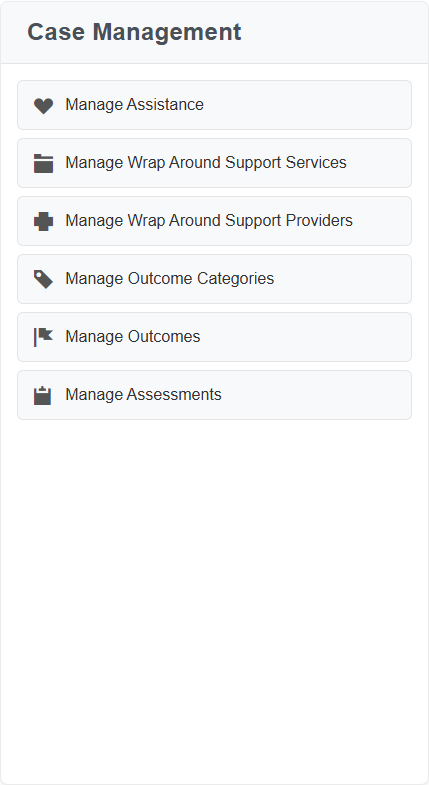
In this view, a case manager can instantly see where they are in the workflow. They can manage assistance, track outcomes, and handle assessments without digging through folders. For a volunteer, the interface might be even simpler, focusing on their specific assignments.
This clarity reduces cognitive load. Staff spend less time navigating menus and more time helping clients. Volunteers spend less time asking "what do I do next?" and more time taking action.
Bridging the Gap with Training and Onboarding
Even the best software fails if the team doesn't know how to use it. The volunteer-staff divide is often widened by a skills gap. Staff might be tech-savvy, while volunteers are less comfortable with digital tools.
To bridge this, your onboarding process must be inclusive and efficient.
- Short, Focused Training: Don't train volunteers on every feature. Train them on the 20% of features they use 80% of the time. For a mentor, that's logging notes and viewing the schedule. For a food bank volunteer, it's checking inventory and logging distributions.
- Mobile-First Access: Volunteers are often on the move. They need to log data from their phones, not sit at a desktop. A mobile-optimized interface ensures they can update records in real-time, right after they interact with a client.
- Automated Reminders: Use the system to send reminders to volunteers about upcoming shifts or pending tasks. This reduces the staff burden of chasing people down and ensures volunteers stay engaged.
Real-Time Visibility for Leadership
For ministry leaders, the volunteer-staff divide creates a reporting nightmare. You can't show impact if you don't have accurate data.
When data is fragmented, generating reports for funders or board members becomes a manual, error-prone process. You have to reconcile staff records with volunteer logs, often weeks after the fact.
A unified system solves this by automating reporting. Every logged interaction contributes to your impact metrics in real-time. You can see:
- How many clients were served this month.
- Which programs have the highest engagement.
- Where bottlenecks are occurring in the care pathway.
This visibility allows you to make data-driven decisions. You can see if a particular volunteer group is underutilized or if a specific service is in high demand. You can adjust resources proactively, rather than reactively.
The Role of Modern Tools in Simplifying Care
Historically, getting staff and volunteers on the same page required expensive, complex enterprise software. These tools were often too rigid for the fluid nature of ministry work.
Today, there are platforms built specifically for the nonprofit context. These tools prioritize simplicity and speed. They are designed to be intuitive enough for a volunteer to use after a 10-minute training, while powerful enough for a case manager to handle complex workflows.
For example, look at how a client profile can organize their journey. Instead of a flat list, you can view their progress through specific educational programs, track their learning tracks, and manage their enrollment in real-time.
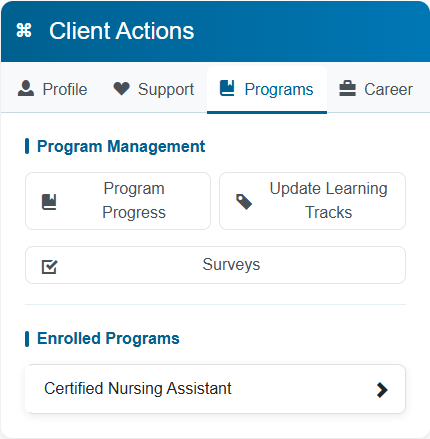
In this view, a case manager can see exactly where a client is in their training journey. They can update progress, assign surveys, or enroll them in new courses without leaving the profile. This holistic view ensures that every interaction, whether by staff or volunteer, contributes to the client's overall progress. If the client needs support, you'd just click over to the Support tab at the top.
Similarly, scheduling and coordination become seamless. A calendar view can show upcoming workshops and training sessions across the entire ministry. This helps staff and volunteers coordinate their efforts, avoiding double-booking and ensuring resources are allocated efficiently.
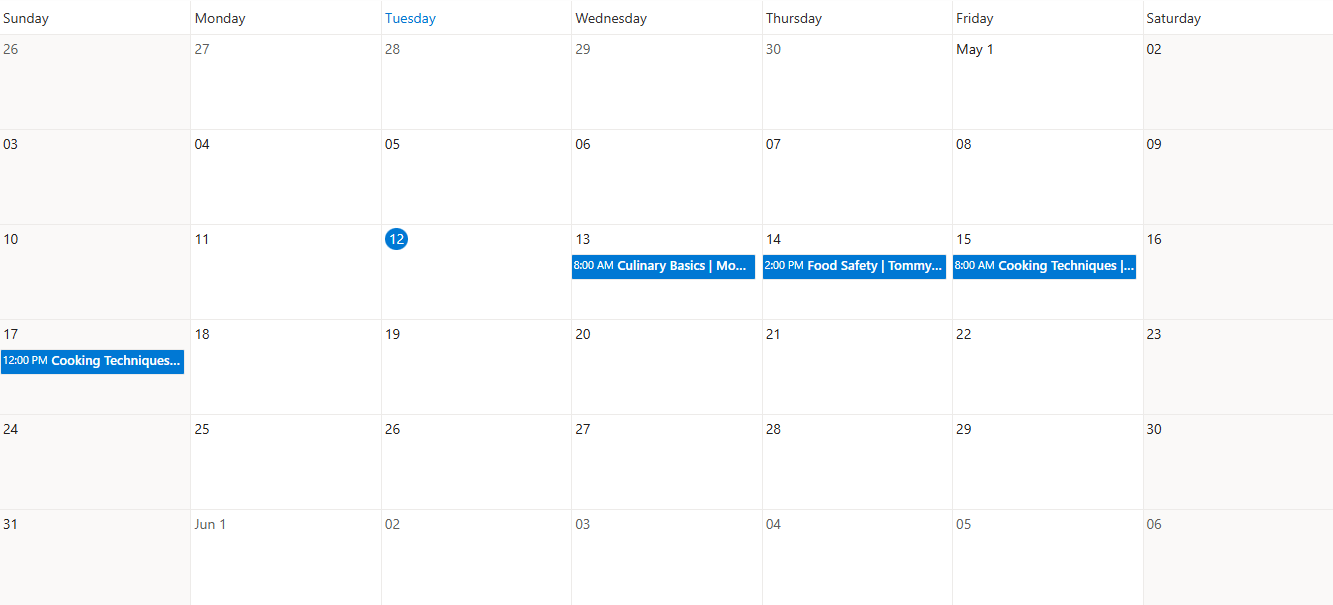
These features are essential for breaking down the walls between staff and volunteers. When the tool is easy to use, people actually use it. When they use it, the data is accurate. When the data is accurate, the ministry can serve better.
Taking the Next Step
The volunteer-staff divide doesn't have to be a permanent fixture of your ministry. By centralizing data, standardizing workflows, and using tools designed for simplicity, you can create a culture of collaboration and continuity.
If you're ready to see how a modern, intuitive case management platform can help your team work together more effectively, explore our pricing options to find the right fit for your ministry:
Ready to put this into practice?
Cohoist gives your team clean intake, fast service tracking, and funder-ready reports — without the clutter of traditional systems. See how simple it can be.